# References Editor Sample
This is a sample extension that shows how an editor-based representation for the _Find References_ feature can be build.
It is not intended as a product quality extension.
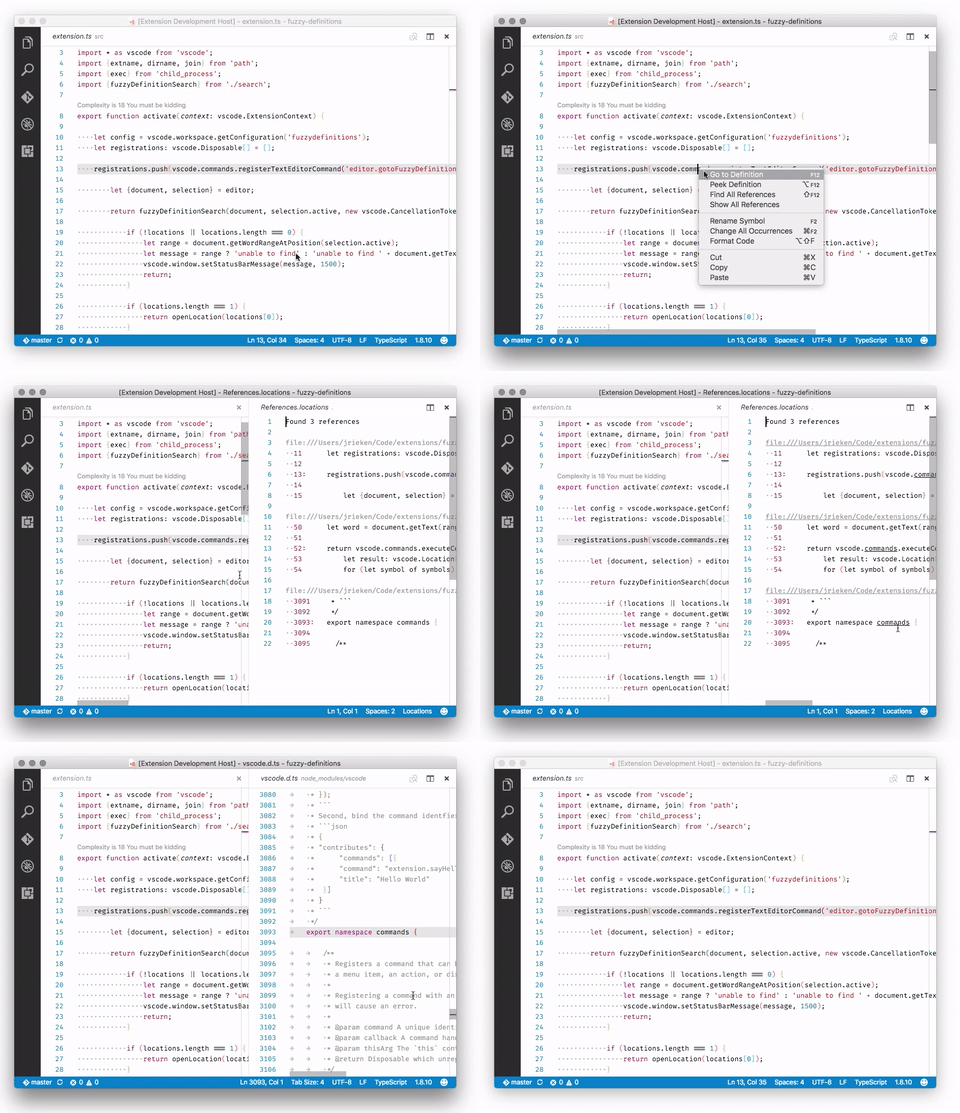
- Select a symbol - Select `F1 > Show All References` - An editor opens to the side and show the references in a textual form
# How it works, what it shows?
- The extension implements and registers a [`TextDocumentContentProvider`](https://code.visualstudio.com/api/references/vscode-api#TextDocumentContentProvider) for a particular URI scheme. - The content provider uses the [`vscode.executeReferenceProvider`](https://code.visualstudio.com/api/references/commands)-API command to delegate searching for references to the language extensions, like TypeScript, vscode-go, or C# - The generated document initially contains a caption only and incrementally updates as each reference location is resolved. - Add links for each result in the virtual document pointing to the reference. - Add an entry to editor context menu via `package.json`
# How to run locally
* `npm run compile` to start the compiler in watch mode * open this folder in VS Code and press `F5`